Editing Cloud Rule Sets
Editing Cloud Rule Sets
Note
Cloud Rule Sets aren't available on the Single User version of CAD Scan, please contact us to upgrade to Team or Professional. Contact us to change your subscription package.
Note
To edit Cloud Rule Sets you must have the Cloud Rule Admin permission. Generally per organisation, there is one person with Cloud Rule Admin permission. If you don't have it, speak to your organisation admin and ask them to make the changes.
Step 1: Access Manage Rule Sets
Navigate to the settings page by selecting it from the bottom left of the navigation menu. 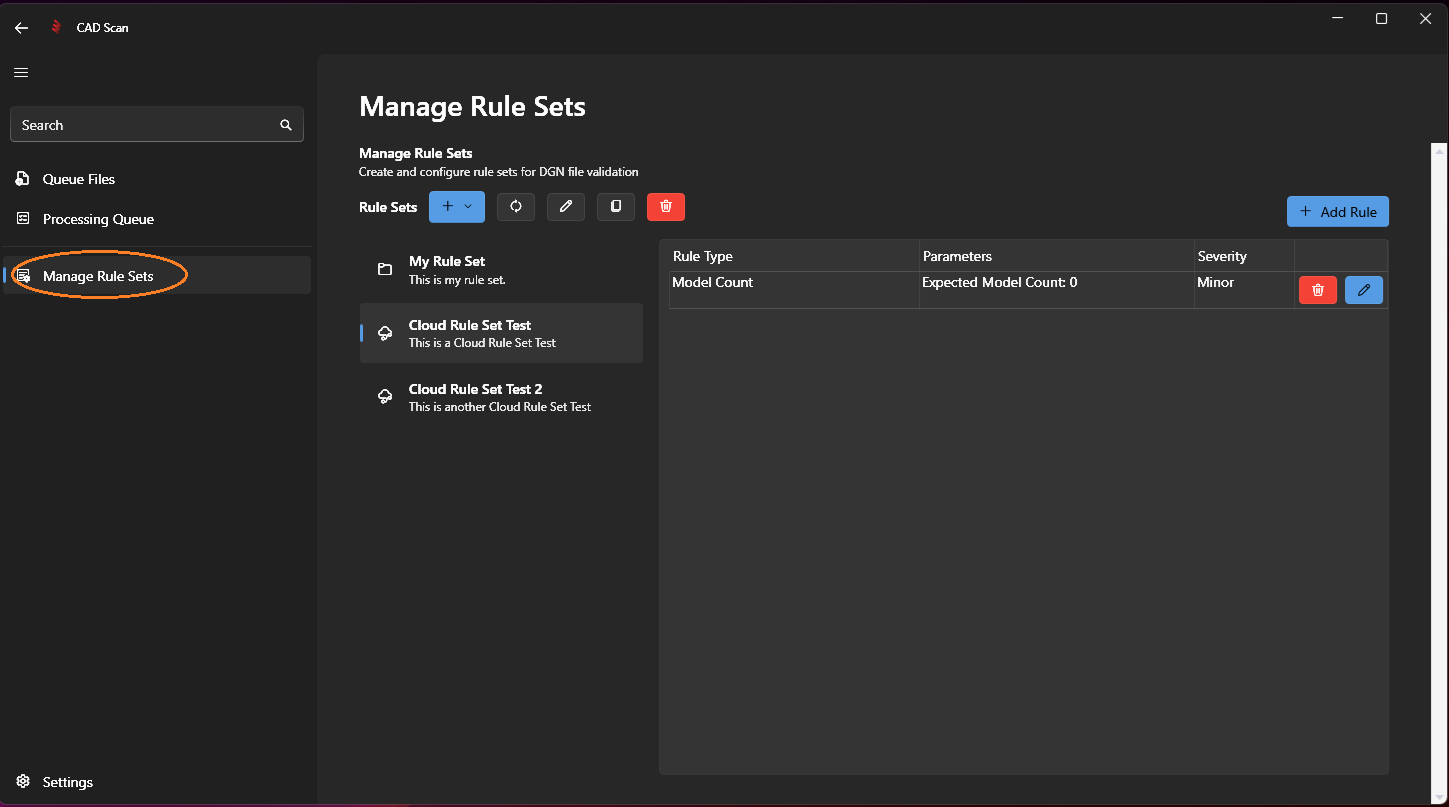
Step 2: Rename Your Cloud Rule Set
To edit a Cloud Rule Set's name or description, select the cloud rule set you want to modify (these are marked with a cloud icon) and click the edit button as highlighted below.
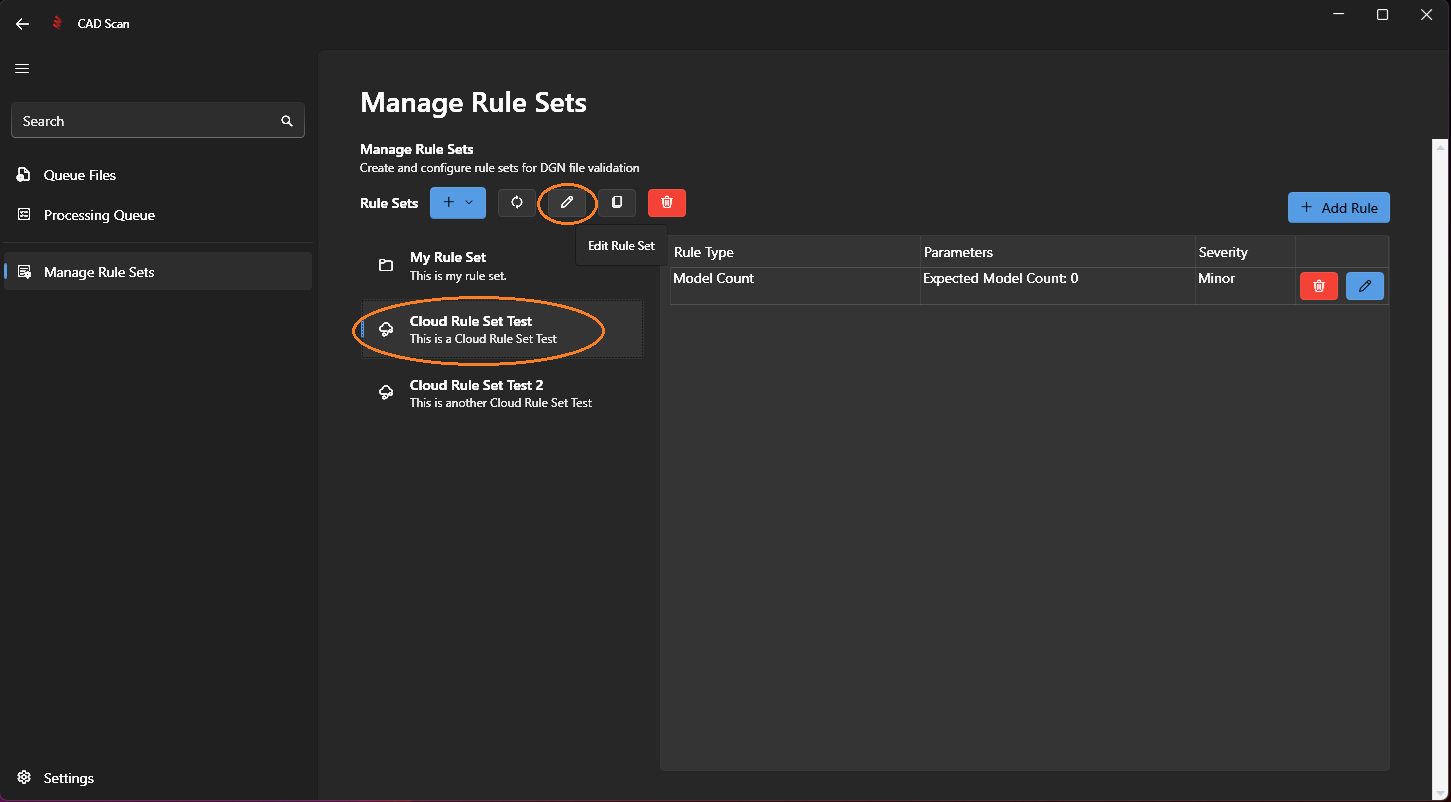
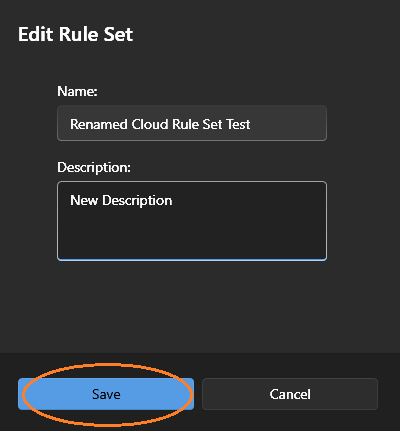
Modify the name/description, then click save.
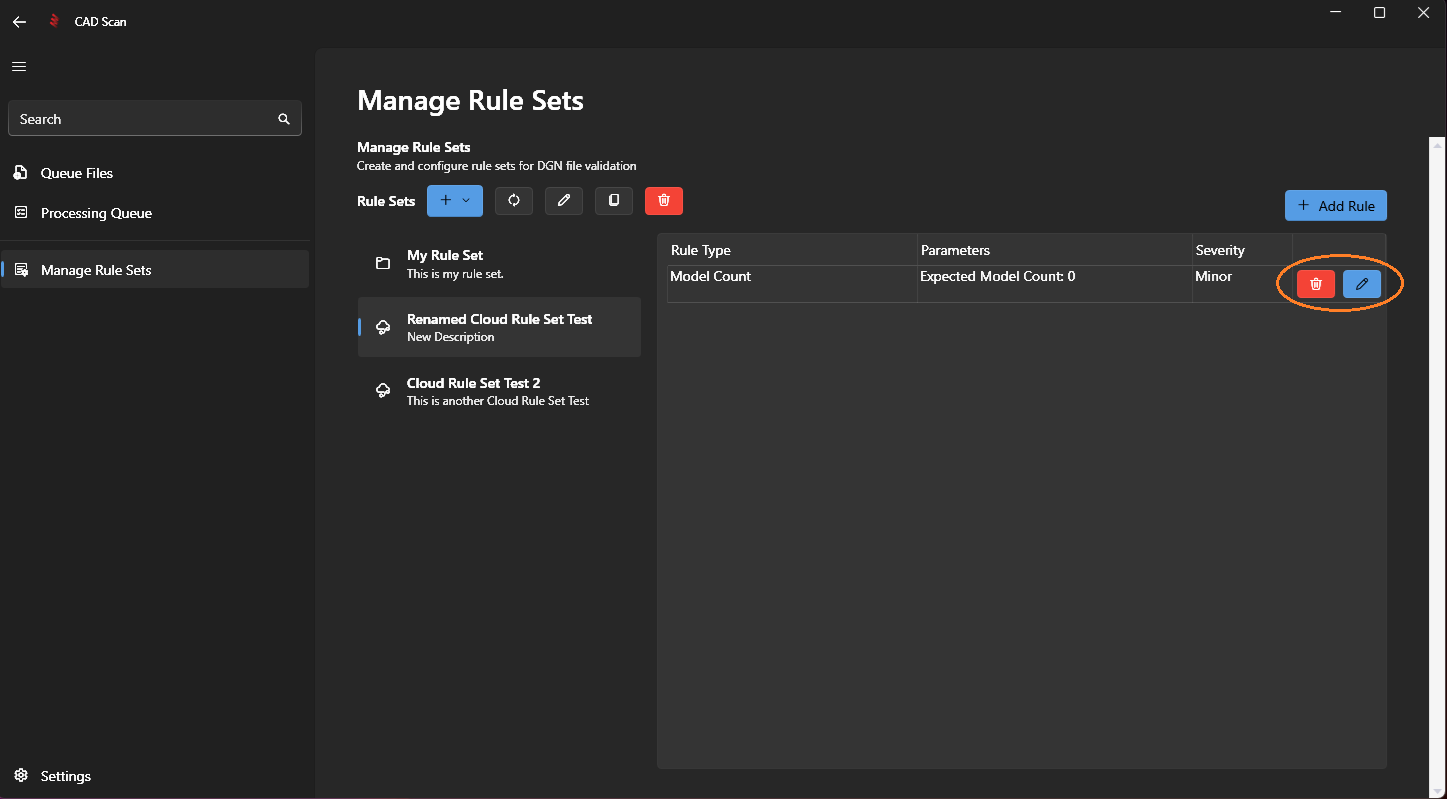
Step 3: Add, Edit or Delete RulesTo add, edit or delete rules within the cloud rule set, click the add rule or the delete or edit buttons for the rule you want to modify.
Note
Next Step: Adding Rules
Note
List of All Available Rules