Enabling Cloud Rule Sets
Enabling Cloud Rule Sets
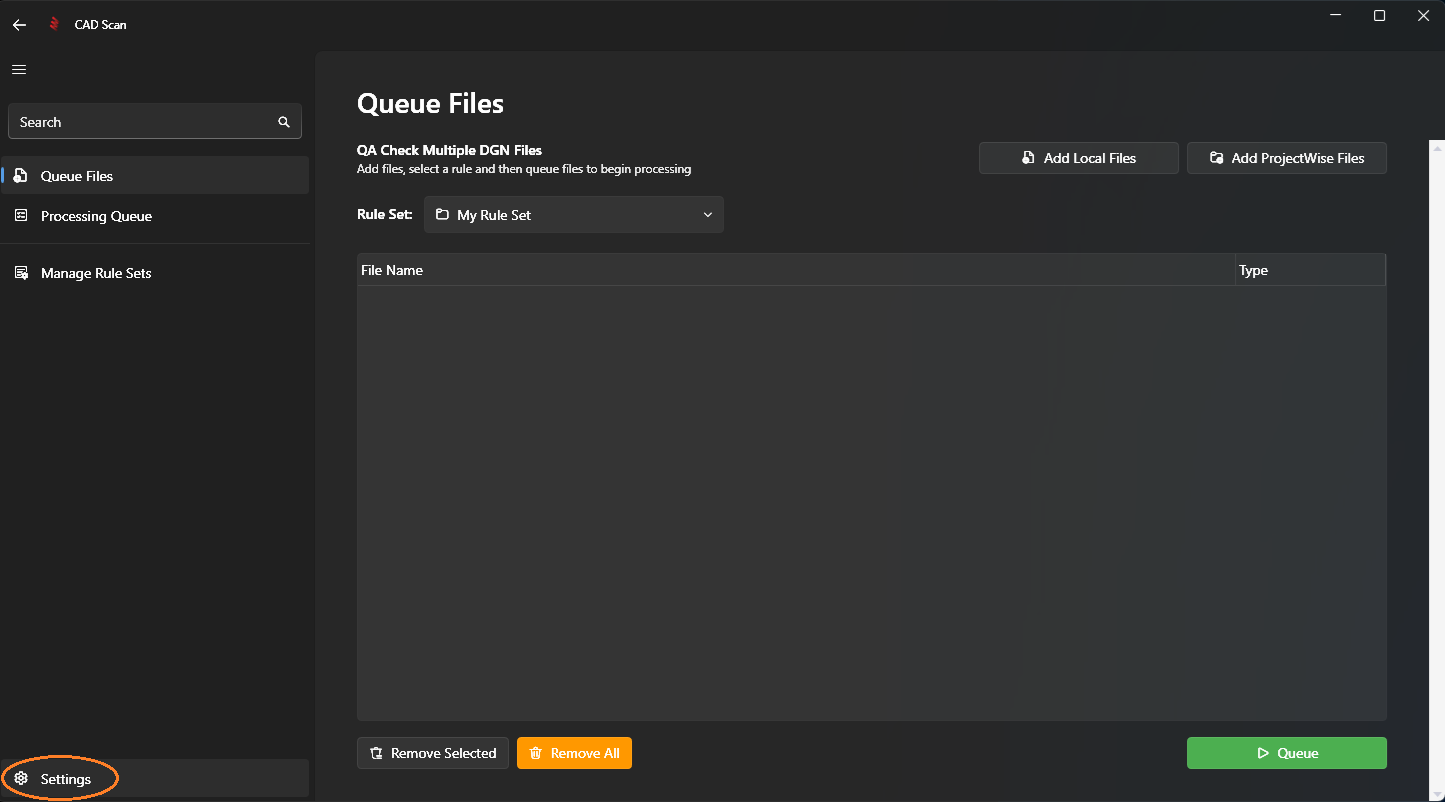
Step 1: Open Settings Menu
Navigate to the settings page by selecting it from the bottom left of the navigation menu.
Step 2: Enter Your Organisation API Key
Enter your organisation API key in the highlighted box in the image below and click Save.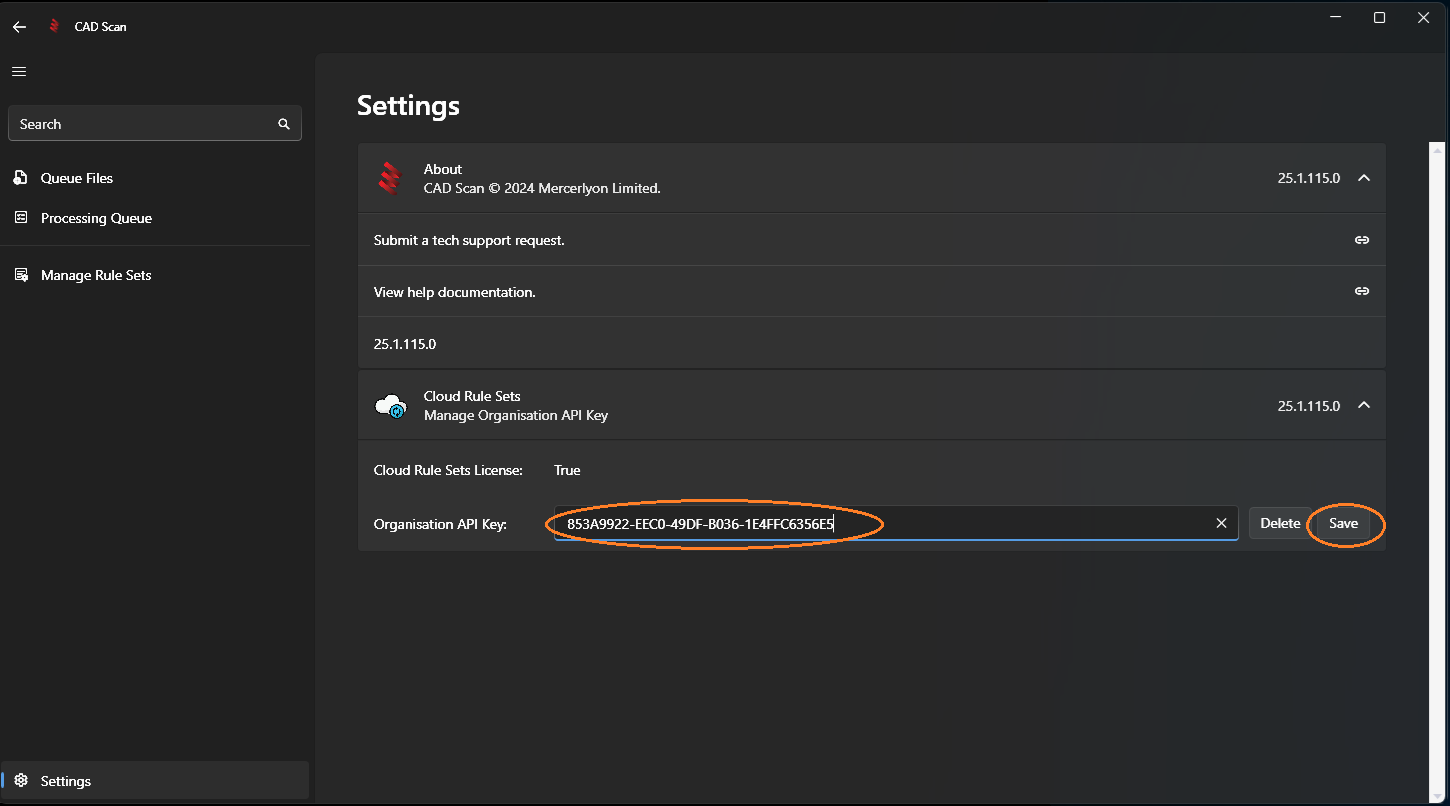
Note
If this section is greyed out, you have the Single User version of CAD Scan, please contact us to upgrade to Team or Professional. Contact us to change your subscription package.
Note
Next Step: Creating a New Rule Set