Refreshing Cloud Rule Sets
Refreshing Cloud Rule Sets
If you don't see any Cloud Rule Sets or if your organisation admintrator has made updates to cloud rule sets, follow the below steps to refresh.
Note
Cloud Rule Sets aren't available on the Single User version of CAD Scan, please contact us to upgrade to Team or Professional. Contact us to change your subscription package.
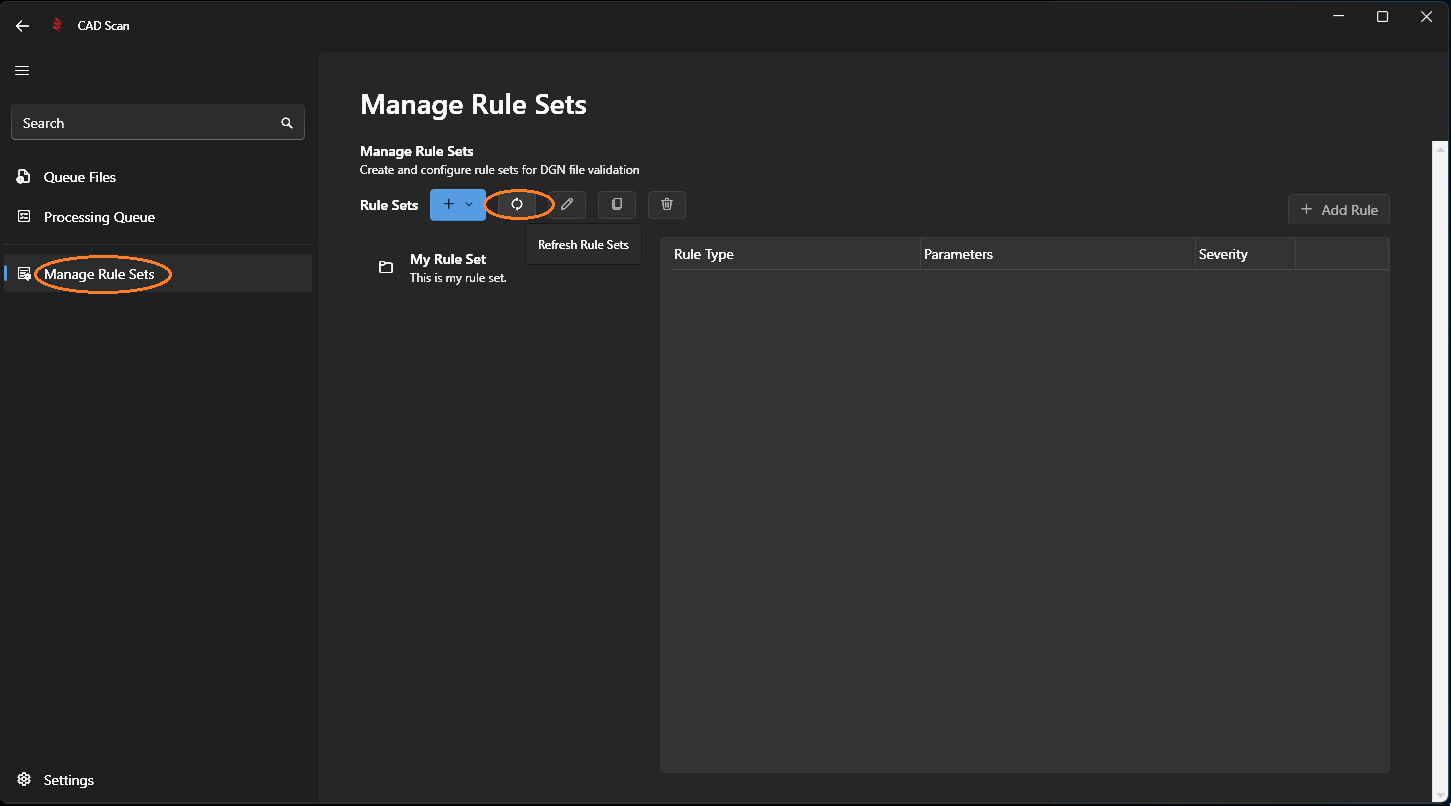
Step 1: Go to Manage Rule Sets
Navigate to the Manage Rule Sets page by selecting it from the left navigation menu, then click the Refresh Rule Sets button.
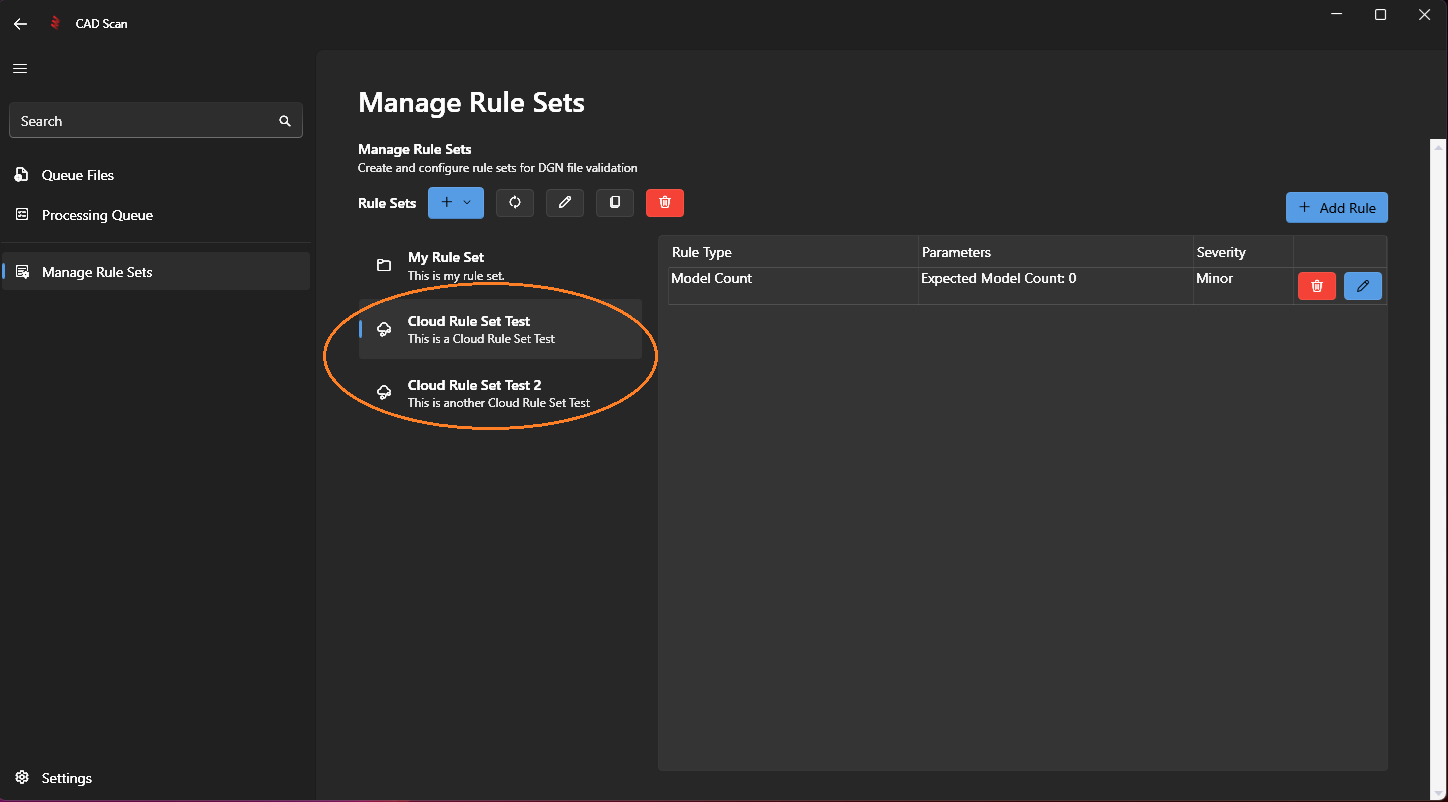
The Cloud Rule Sets will appear in the list of rule sets marked with a cloud icon.
Note
Next Step: Editing Cloud Rule Sets