Running CAD Scan For The First Time
Running CAD Scan For The First Time
Note
You must first install CAD Scan, go to Installing CAD Scan article.
Step 1: Open MicroStation
Open a new instance of MicroStation and open any DGN file.

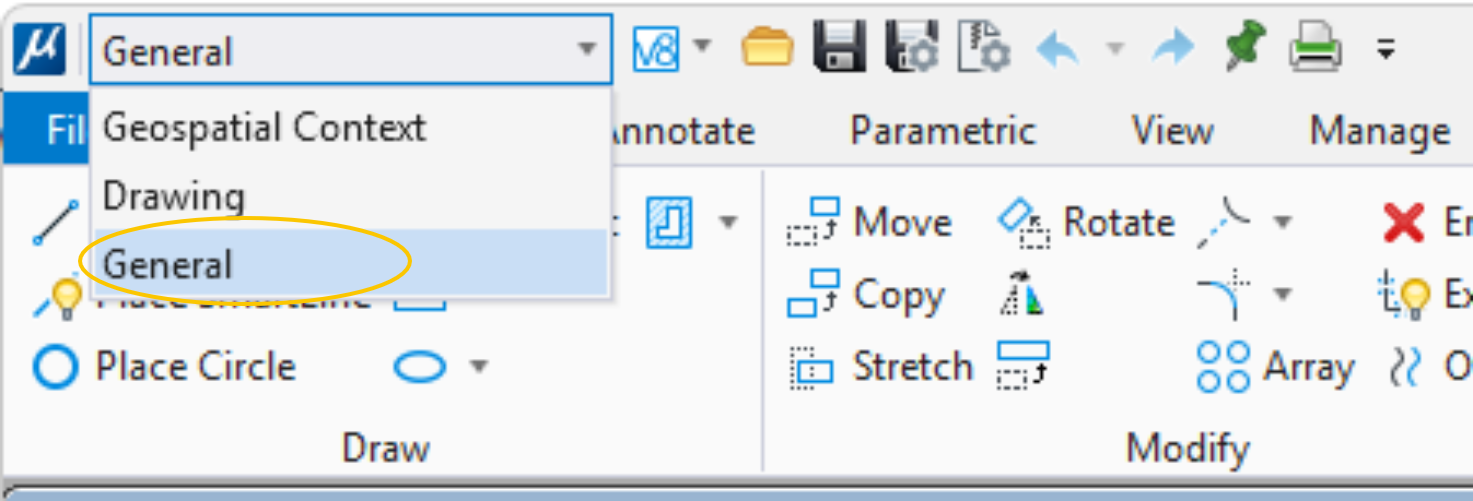
Step 2: Load the General ribbon
Use the drop down menu in the top right of the screen to load the General ribbon.
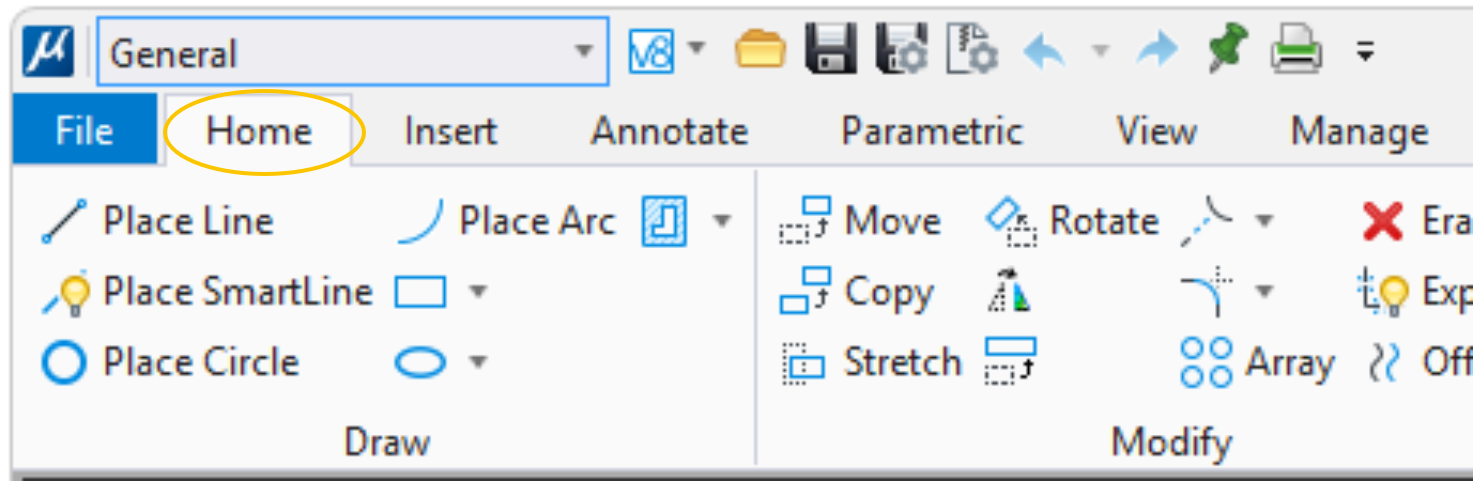
Step 3: Navigate to the Home tab
Click on the Home tab.
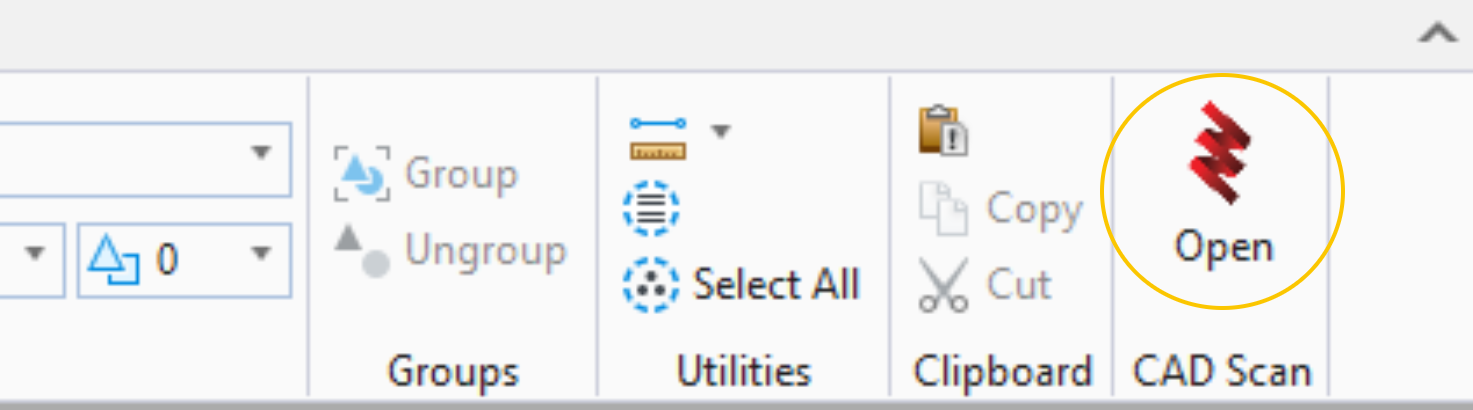
Step 4: Open CAD Scan
You'll find the CAD Scan group on the very right of the Home tab, click the Open icon.
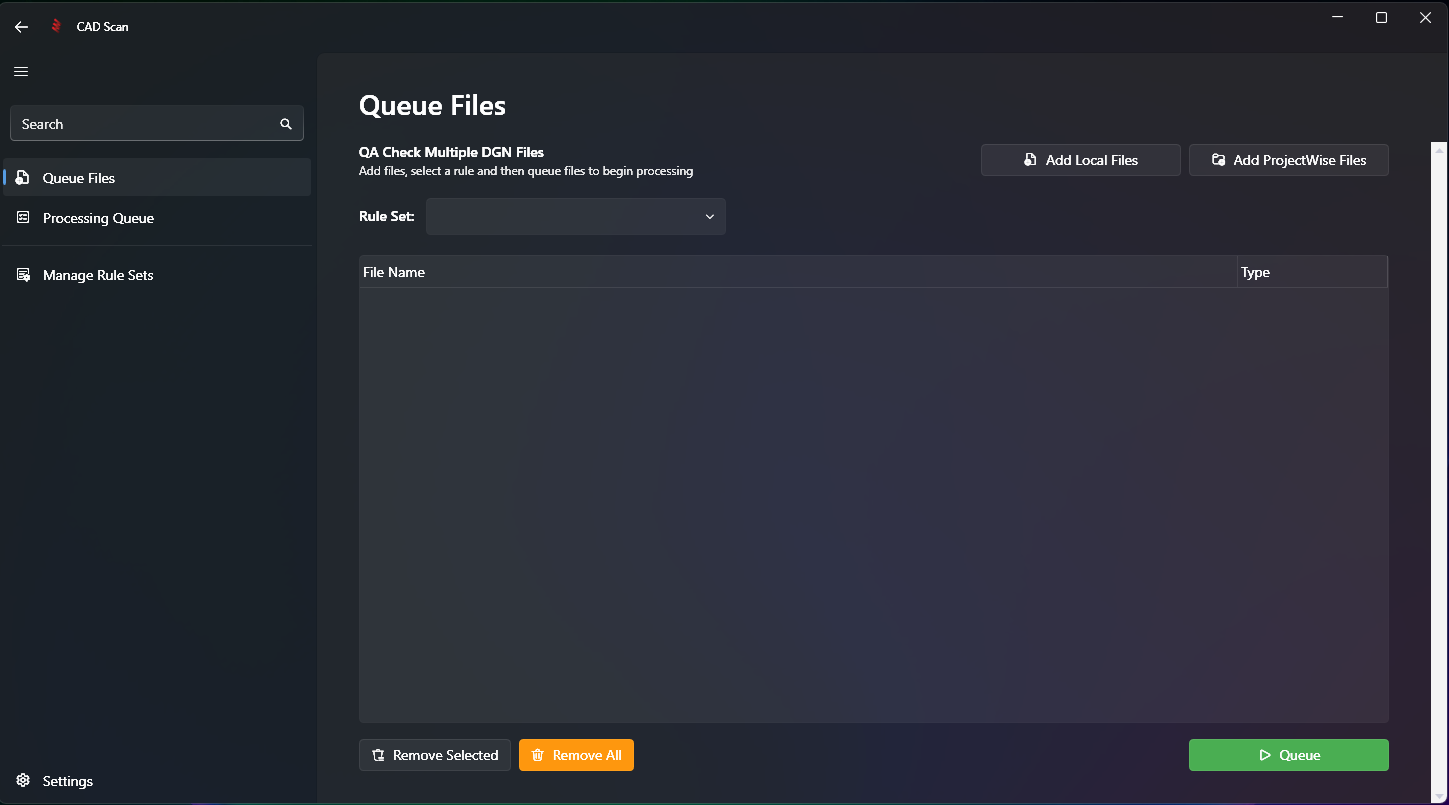
Step 5: Verify CAD Scan UI Opens
The CAD Scan UI should open on the Queue Files screen.
Note
Next Step: Creating a New Rule Set