Creating a New Rule Set
Creating a New Rule Set
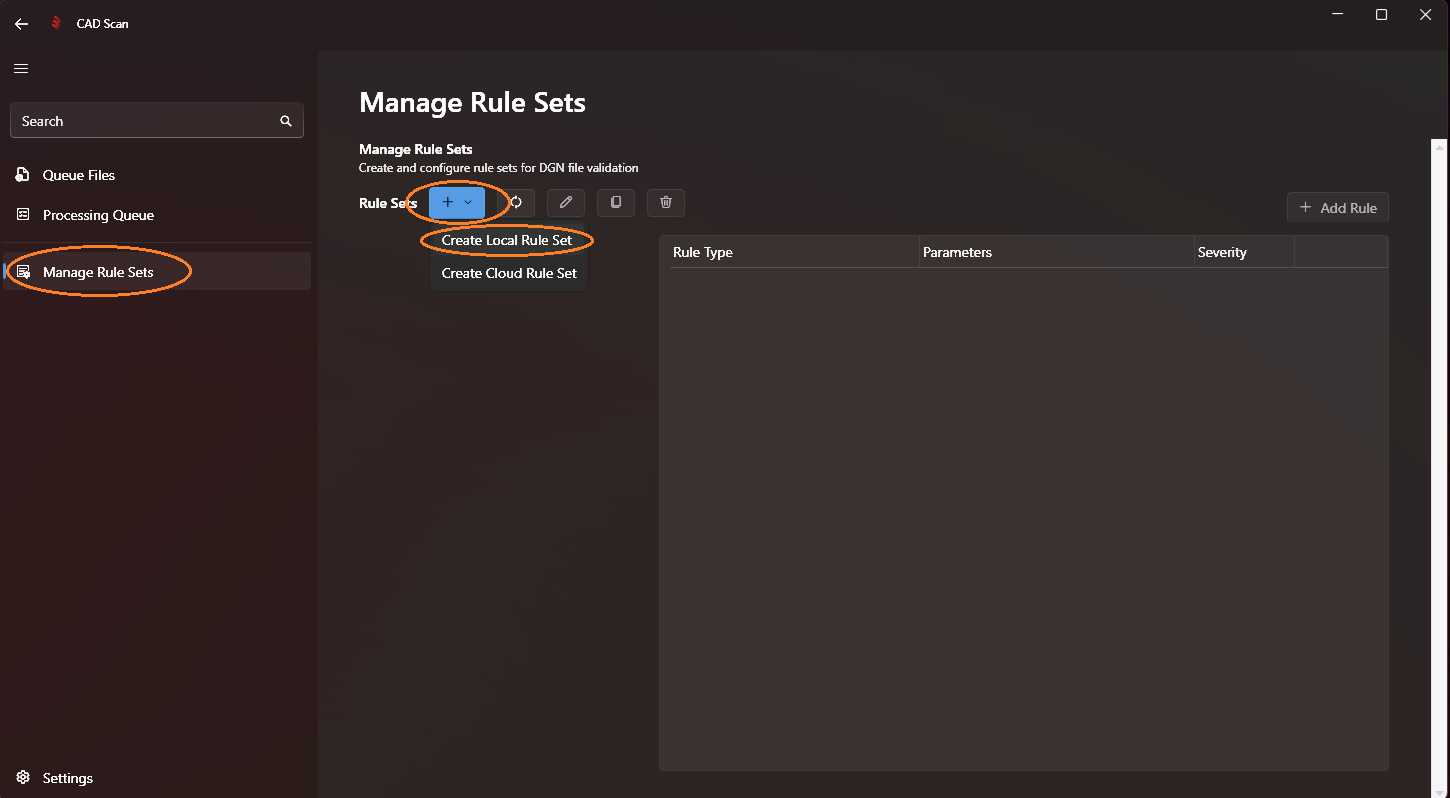
Step 1: Access Manage Rule Sets
Navigate to the Manage Rule Sets page by selecting it from the left navigation menu, click the blue + button, then select Create Local Rule Set from the dropdown list.
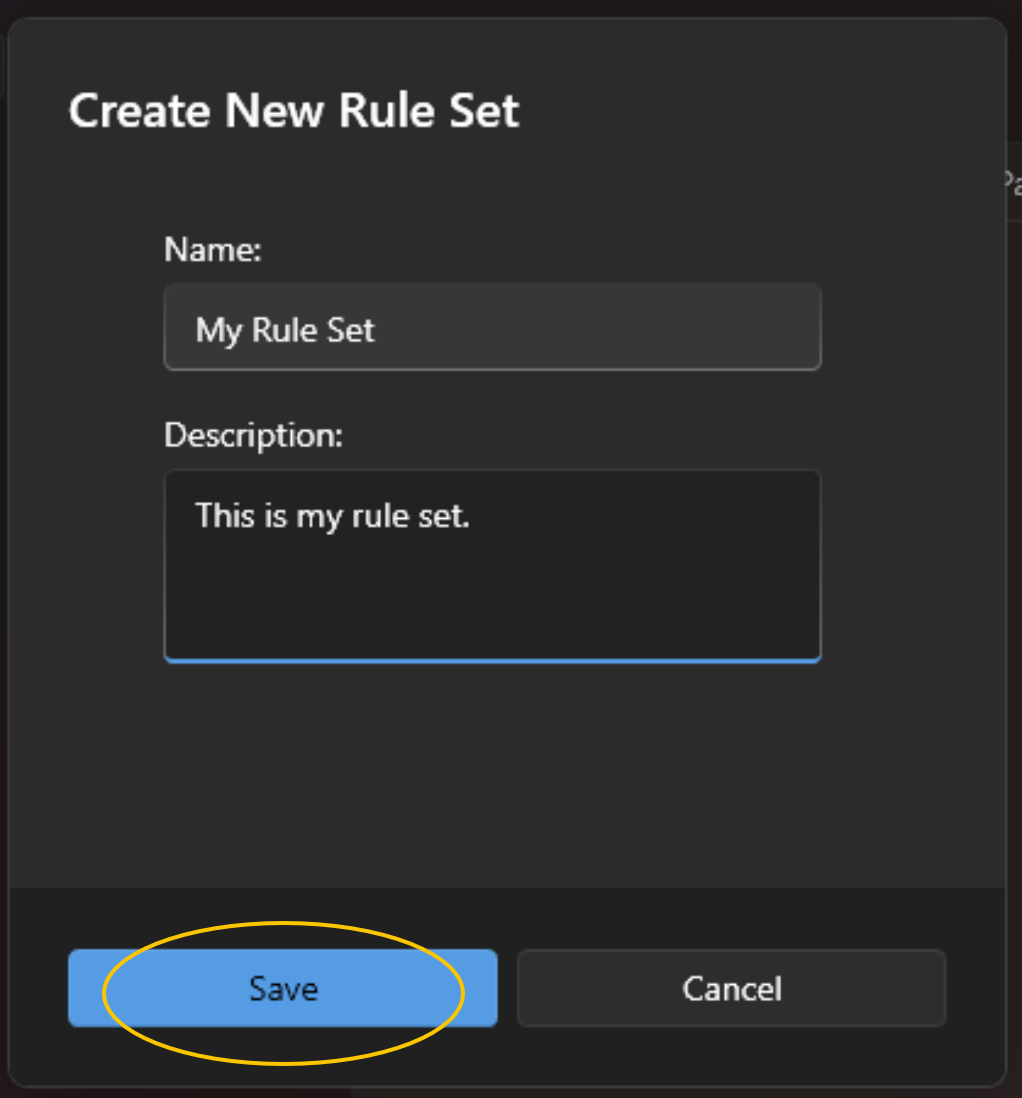
Step 2: Name Your New Rule Set
Assign a meaningful name and description to your new rule set. Once completed, click save.
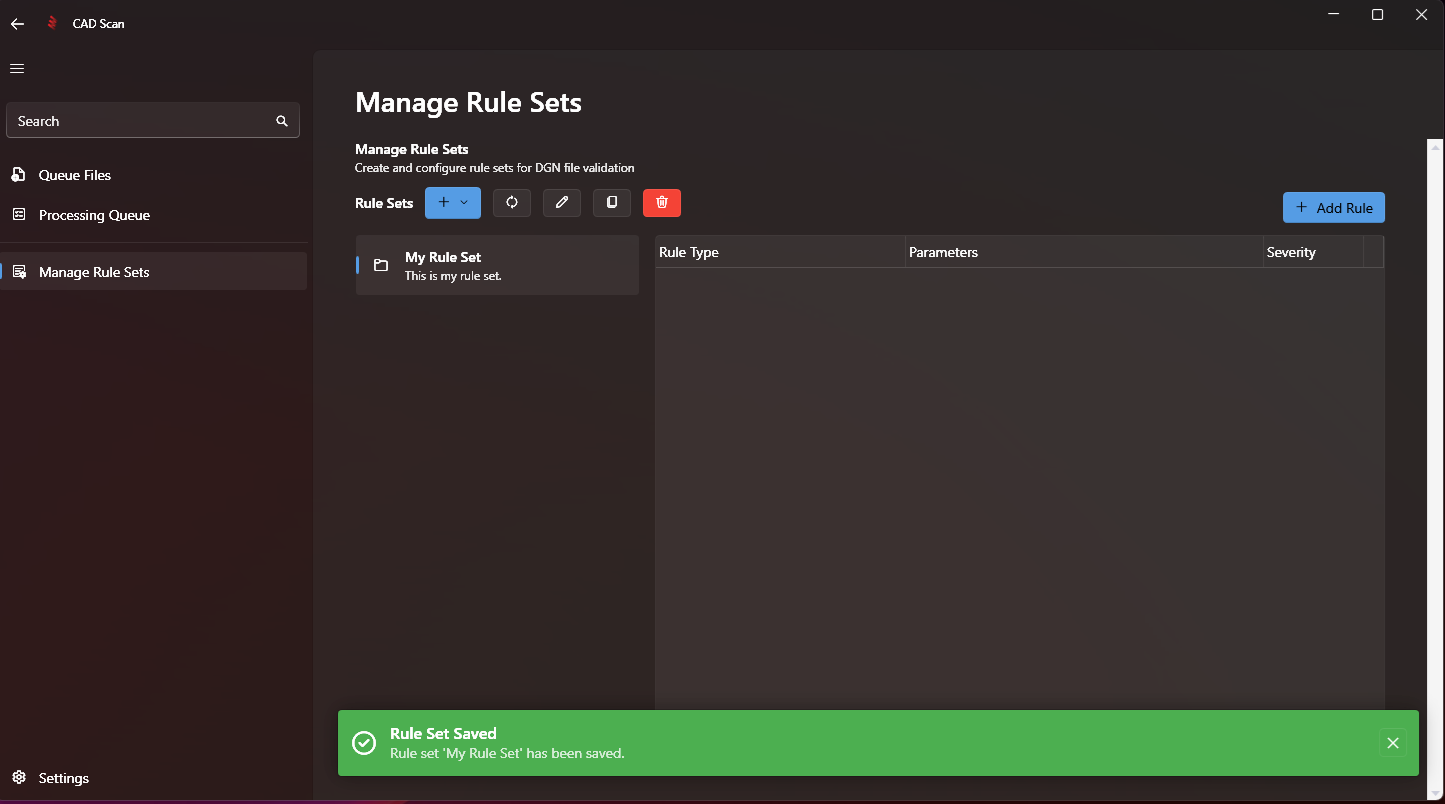
A green pop-up will appear, confirming that your new rule set has been saved, and it will be listed on the left side, ready for you to add new rules.
Note
Next Step: Adding Rules